Merge Lotus Notes Mailbox to Existing Exchange Server Mailbox. Convert Lotus Notes to Exchange Server Including:
Free Trial for Evaluation
Start at $69. Offer Limited
Export Notes software is a reliable, cost-effective and high performing NSF to Exchange tool used for the migration of email data from Lotus Notes to Exchange Server/Outlook.
Lotus Notes to Microsoft Exchange email conversion tool, which is useful for Lotus Notes administrators in solving their conversion requirements. Using Export Notes software, you can successfully carry out Lotus Notes to Exchange conversion without facing any difficulty as the software is extremely easy-to-use.
Steps...
STEP 1
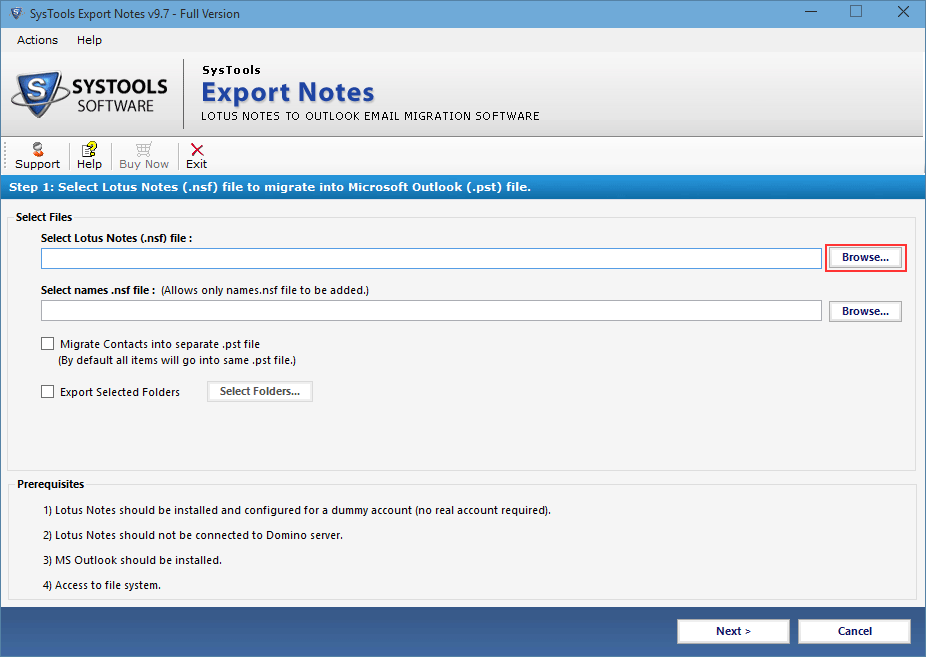
Choose Option Browse to select NSF Files for Conversion
STEP 2
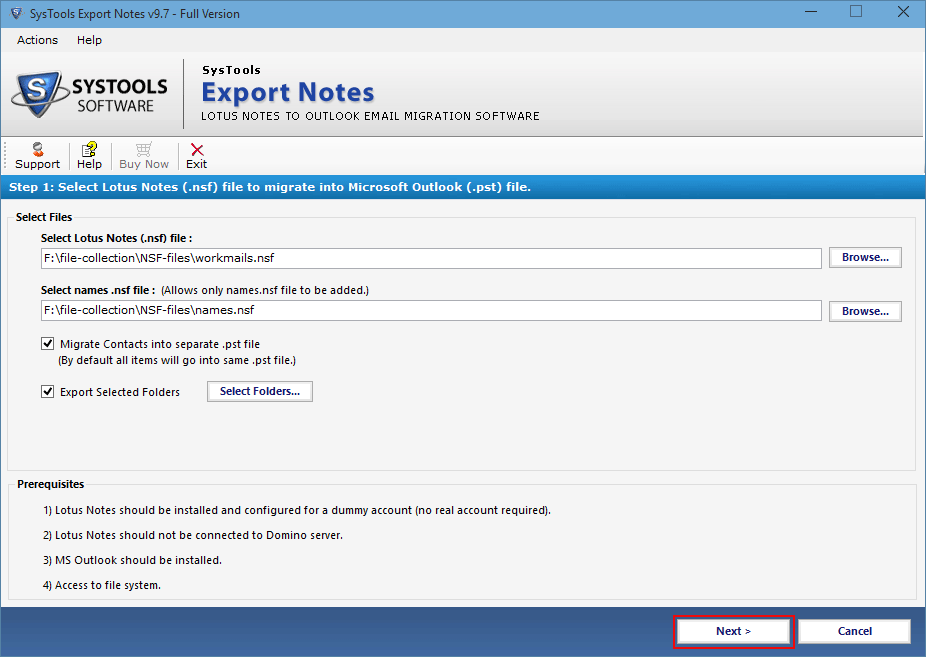
NSF Files are Added by the Tool, proceed by clicking on Next
STEP 3
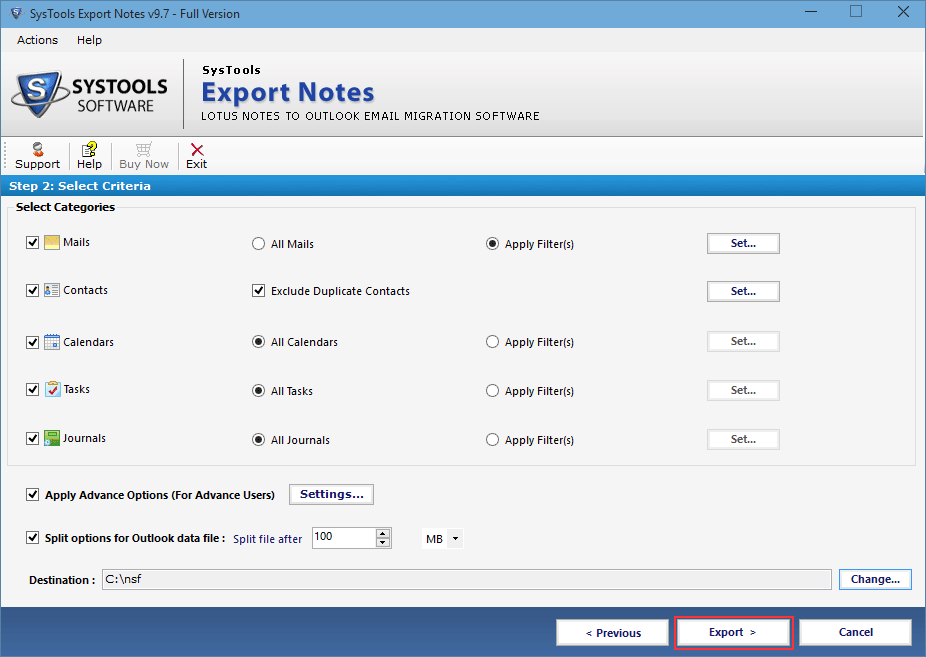
Select Categories to convert and click on Export button
STEP 4
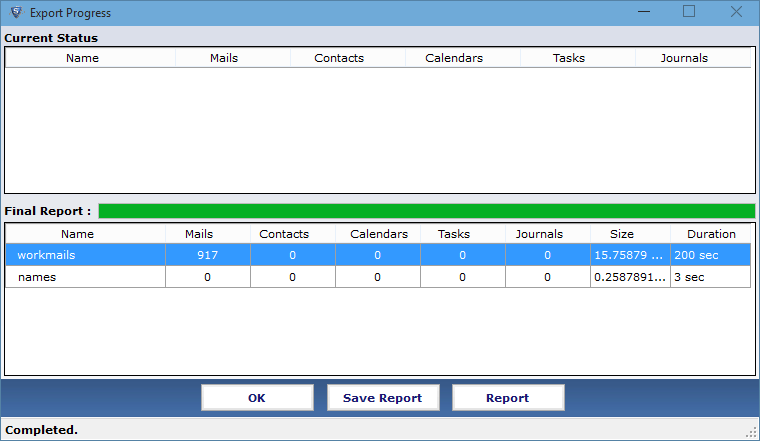
Details of Converting NSF files is exhibits by the Software
Evaluation of Tool
We offer Free Demo Edition which you can download online by clicking the download link provided here. Demo version allows you to convert and save Only 25 NSF items per Lotus Notes email folder to Microsoft Outlook/Exchange. After evaluating the software using the Demo Version, you can purchase the full version of the software to migrate ALL the NSF items to Outlook/Exchange.
| DEMO VERSION | FULL VERSION | ||
|---|---|---|---|
| Add NSF Files & Folders | |||
| Export Data From Selected Categories | |||
| Export NSF Files to Exchange | First 25 Items/Folder | All Items | |
| Advanced Filters | |||
| ALL Lotus Notes Editions Supported | |||
| TRY IT FOR FREE | BUY FOR $69 |
Read...
Our organization decided to switch to Outlook from Lotus Notes. The migration was supposed to be done for large number of users and hence we needed a specialized tool. Thankfully we got this product and we could get prompt results!
It is one of the best available online commercial solutions and I must say that despite of technology it uses, it is very easy to execute this application. We achieved success for our need of conversion. Thanks for this amazing product!
The tool is implausible for the conversion of Lotus Notes database to an Exchange server as the working method adopted by the tool to export several NSF files get accomplished within a couple of minutes. I just loved this software.
I used this software on the recommendation of my colleague and get unprecedented results. It comprises of easy to use interface and various distinctive attributes which successfully export Lotus Notes files with no data loss. Thanks to All
Some
FAQs...